







Lo shopreme vector

Lo shopreme vector

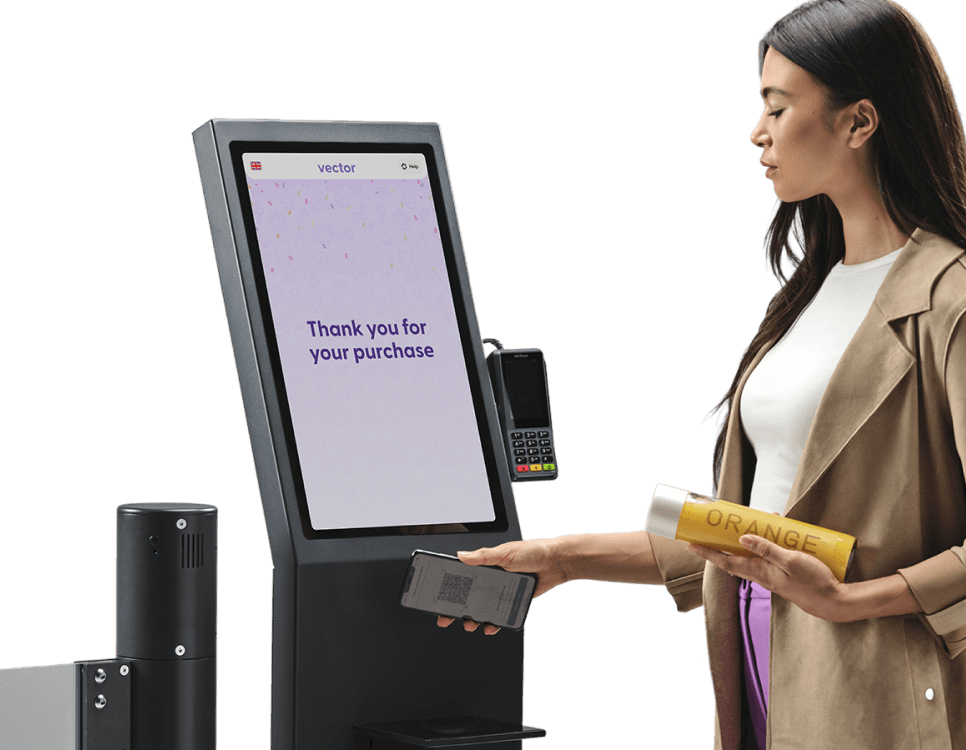
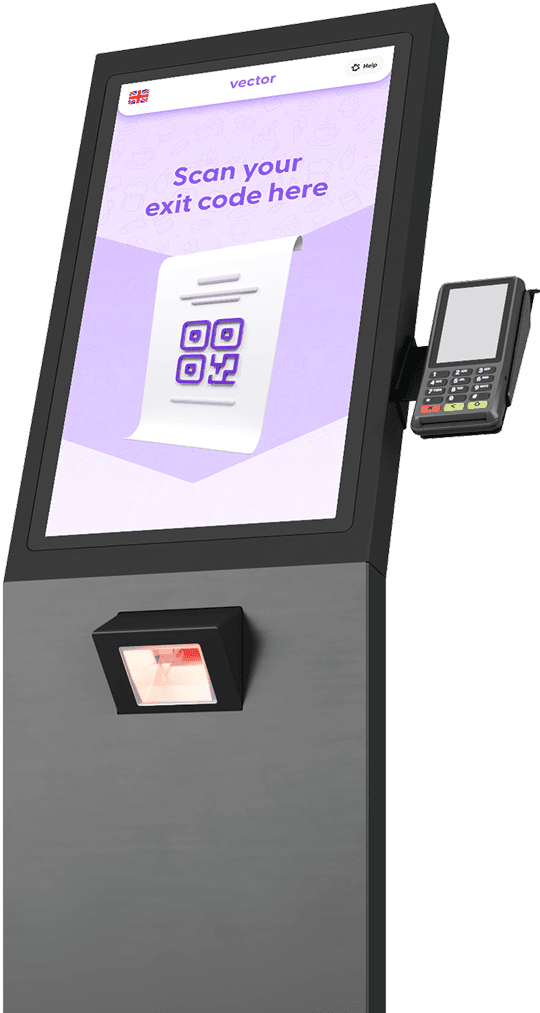
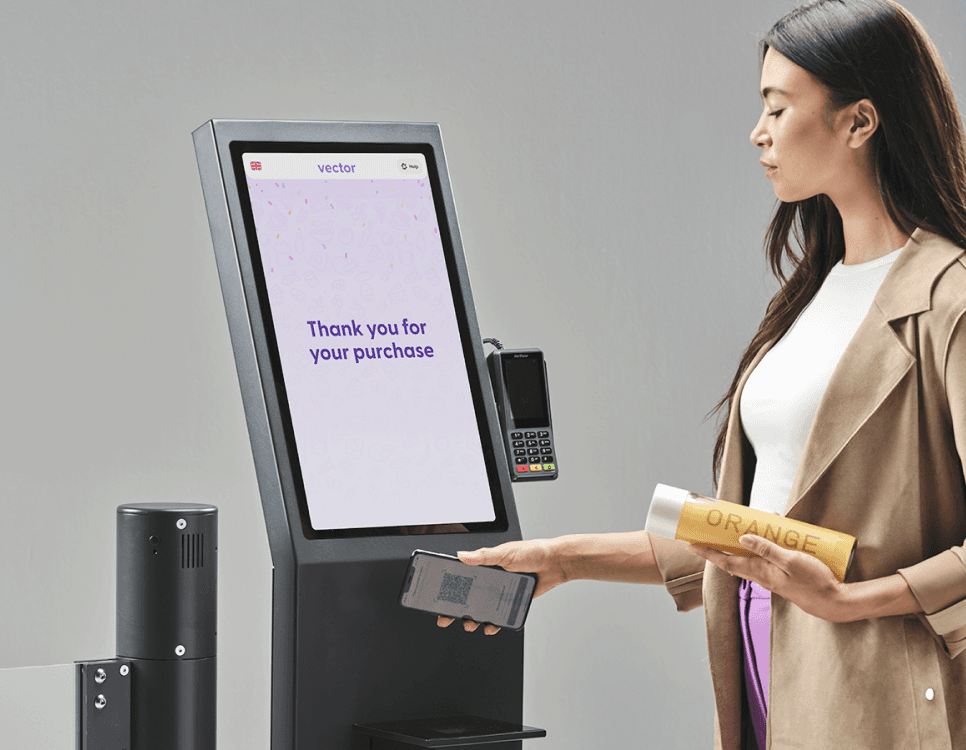
Il primo hardware di uscita ottimizzato per Scan & Go: un terminale di uscita interattivo, modulare e personalizzabile.

Il primo hardware di uscita ottimizzato per Scan & Go: un terminale di uscita interattivo, modulare e personalizzabile.

shopreme vector
  • billa shopreme Self-Checkout Customer
  • rossmann shopreme Self-Checkout Customer
  • hit dohle shopreme Self-Checkout Customer
  • famila shopreme Self-Checkout Customer
  • xxxlutz shopreme Self-Checkout Customer
  • moebelix shopreme Self-Checkout Customer
  • momax shopreme Self-Checkout Customer
  • aldi nord shopreme Self-Checkout Customer
  • nofrills shopreme Self-Checkout Customer
  • loblaws shopreme Self-Checkout Customer
  • rewe shopreme Self-Checkout Customer
  • auchan shopreme Self-Checkout Customer
  • penny shopreme Self-Checkout Customer

Chiarezza per clienti e personale

The User Journey –
Optimized Exit

A colpo d’occhio

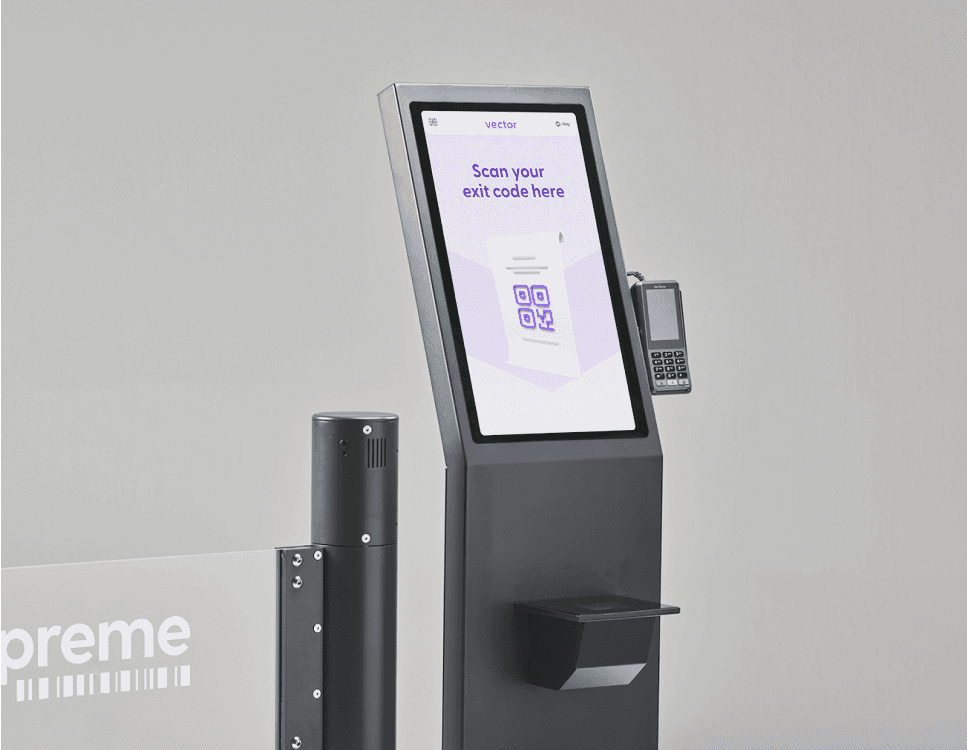
Offri chiarezza ai clienti Scan & Go e al personale, proteggendo al tempo stesso il tuo business dalla perdita inventariale con shopreme vector. Il terminale di uscita shopreme vector è compatibile con tutti i sistemi di varchi di terze parti e può essere personalizzato in linea con il tuo brand.

store location detection in a shopreme scan and go app

Chiarezza per clienti Scan & Go e personale

Crea un punto finale chiaro e fisico nel customer journey, convogliando gli utenti Scan & Go verso un’uscita dedicata con shopreme vector, offrendo chiarezza sia ai clienti sia al personale. I clienti sanno dove possono uscire dal negozio in tutta tranquillità, mentre il personale può riconoscere facilmente gli utenti Scan & Go.

store location detection in a shopreme scan and go app - shopreme vector Exit Terminal

Pagamento e checkout

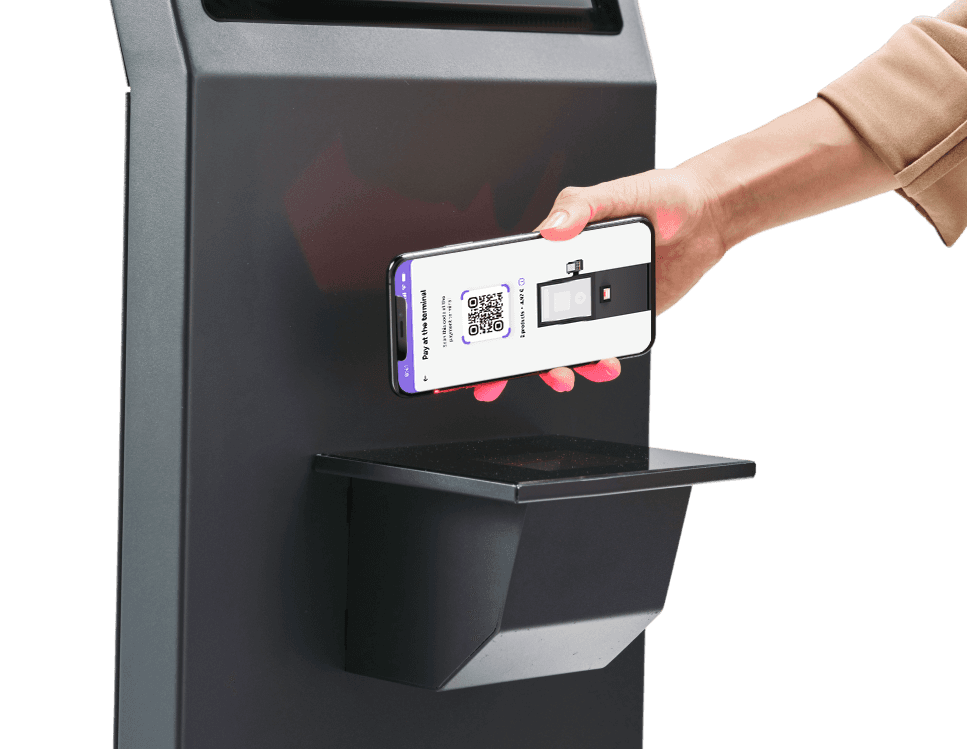
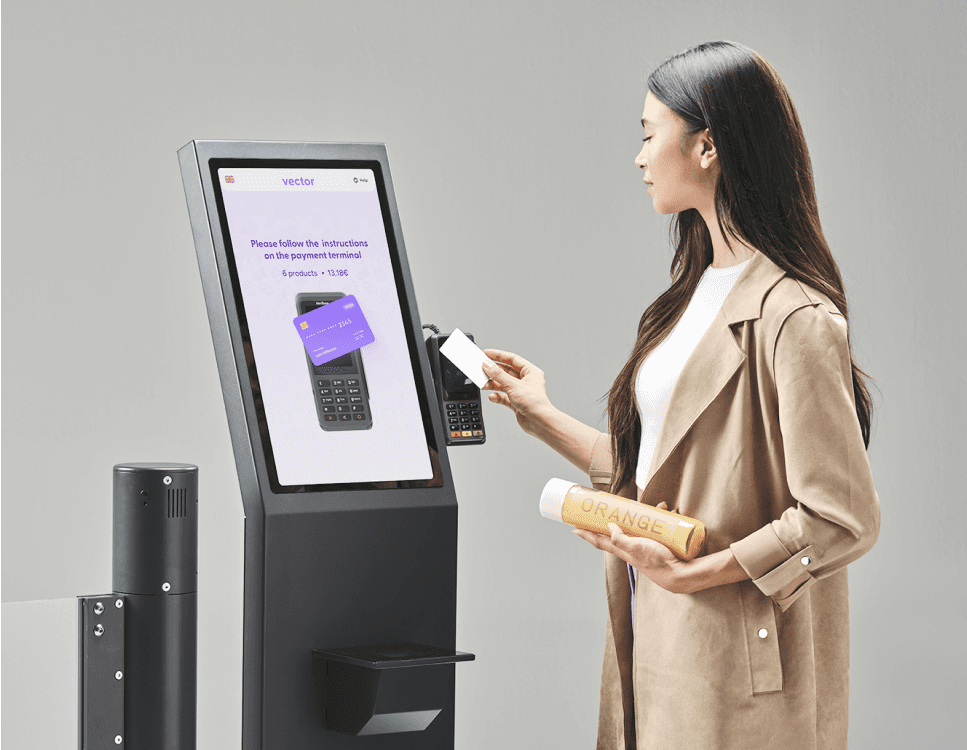
Lascia che sia shopreme vector a gestire il processo di checkout. I clienti Scan & Go possono pagare nell’app oppure direttamente su vector quando viene utilizzato un terminale di pagamento EFTPOS con il supporto opzionale Payment Kit. Offrire il pagamento con carta può aiutare a familiarizzare i clienti con Scan & Go, aggiungendo un elemento noto a un nuovo processo di checkout.

store location detection in a shopreme scan and go app - shopreme vector Exit Terminal

Prevenzione delle perdite efficace

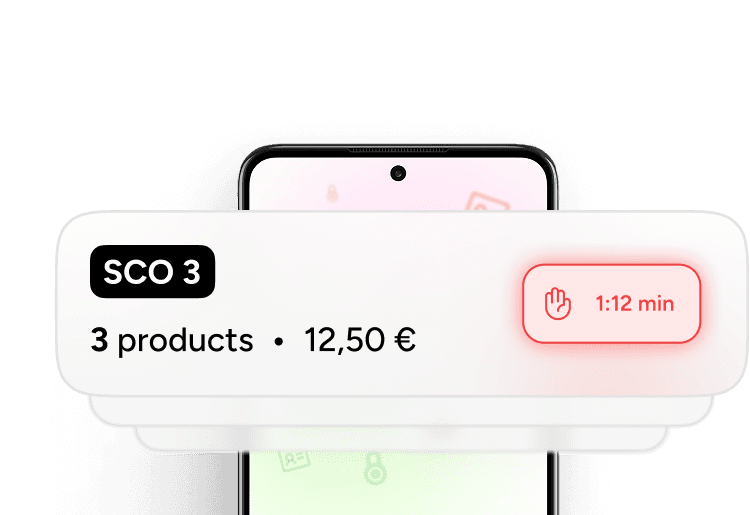
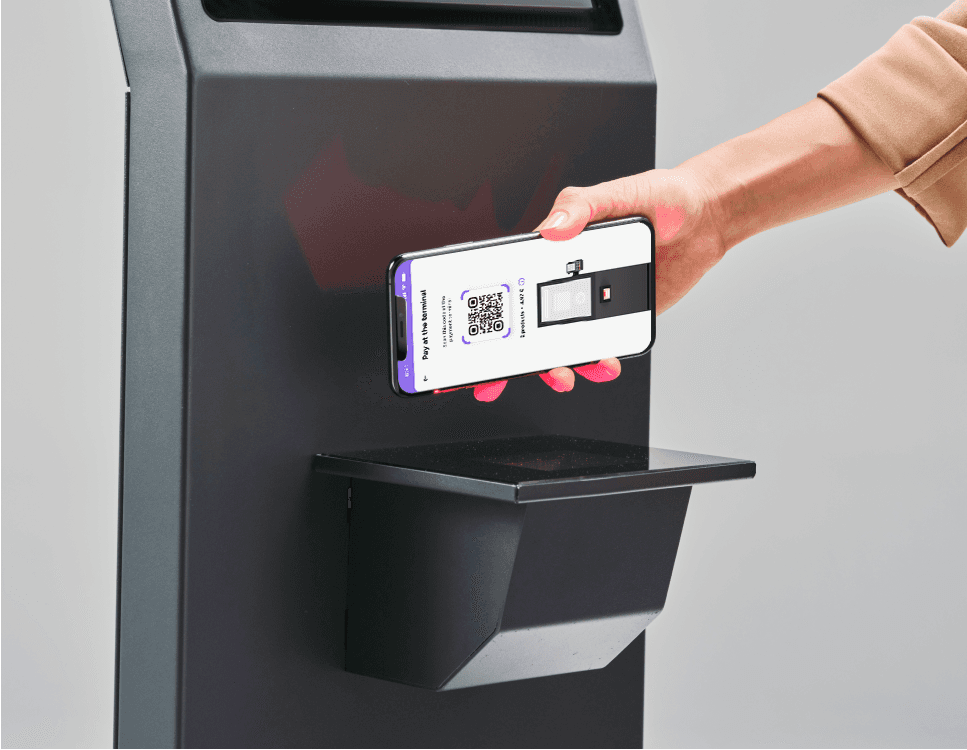
Il cliente scansiona l’Exit Code su vector, che verifica la validità del codice e controlla se è necessaria un’azione del personale, ad esempio un controllo a campione o la rimozione di una placchetta antitaccheggio. Se necessario, viene inviata una notifica push all’app per il personale, mentre sia vector sia l’app cliente mostrano un messaggio che invita il cliente ad attendere un addetto.

store location detection in a shopreme scan and go app

Compatibile con tutti i sistemi barriera

vector è compatibile con tutti i sistemi di varchi di terze parti presenti sul mercato, rendendo il retrofit dei punti vendita semplice e conveniente.

store location detection in a shopreme scan and go app

A colpo d’occhio

Provide clarity for Scan & Go customers and employees while protecting your business against shrinkage with shopreme vector. The shopreme vector exit terminal is compatible with all third-party gate providers and can be customized to match your brand.

store location detection in a shopreme scan and go app

Personalizza il tuo vector

Offriamo numerosi add-on e opzioni di personalizzazione. Scarica la brochure per vedere tutte le opzioni disponibili.

Terminale di uscita interattivo

Un design UX intuitivo ti consente di mostrare ai clienti messaggi rilevanti sullo schermo e nell’app, guidandoli durante tutto il processo.

shopreme vector - exit solution -  retail media

Azioni basate sul prodotto

Attiva azioni per il personale
su prodotti definiti

Attiva azioni per il personalesu prodotti definiti

shopreme vector - exit solution -  age verification

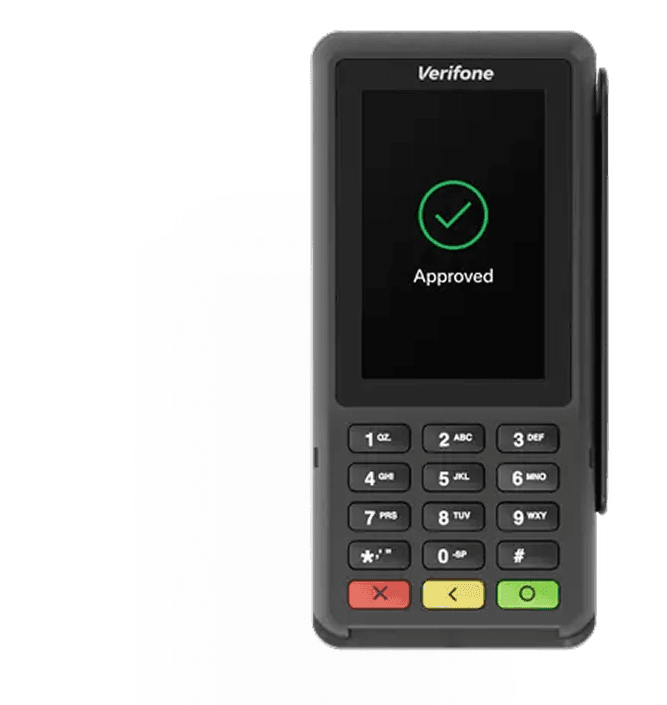
Terminale di pagamento

Consenti ai clienti Scan & Go
di pagare direttamente
al terminale di uscita
payment terminal

Controllo a campione

Il personale viene chiamato presso shopreme vector
per effettuare controlli a campione.

shopreme vector - exit solution -  spot check

Verifica duplicati e controllo timestamp

Controlla i codici di uscita duplicati o non conformi e impedisce l’utilizzo di codici scaduti.
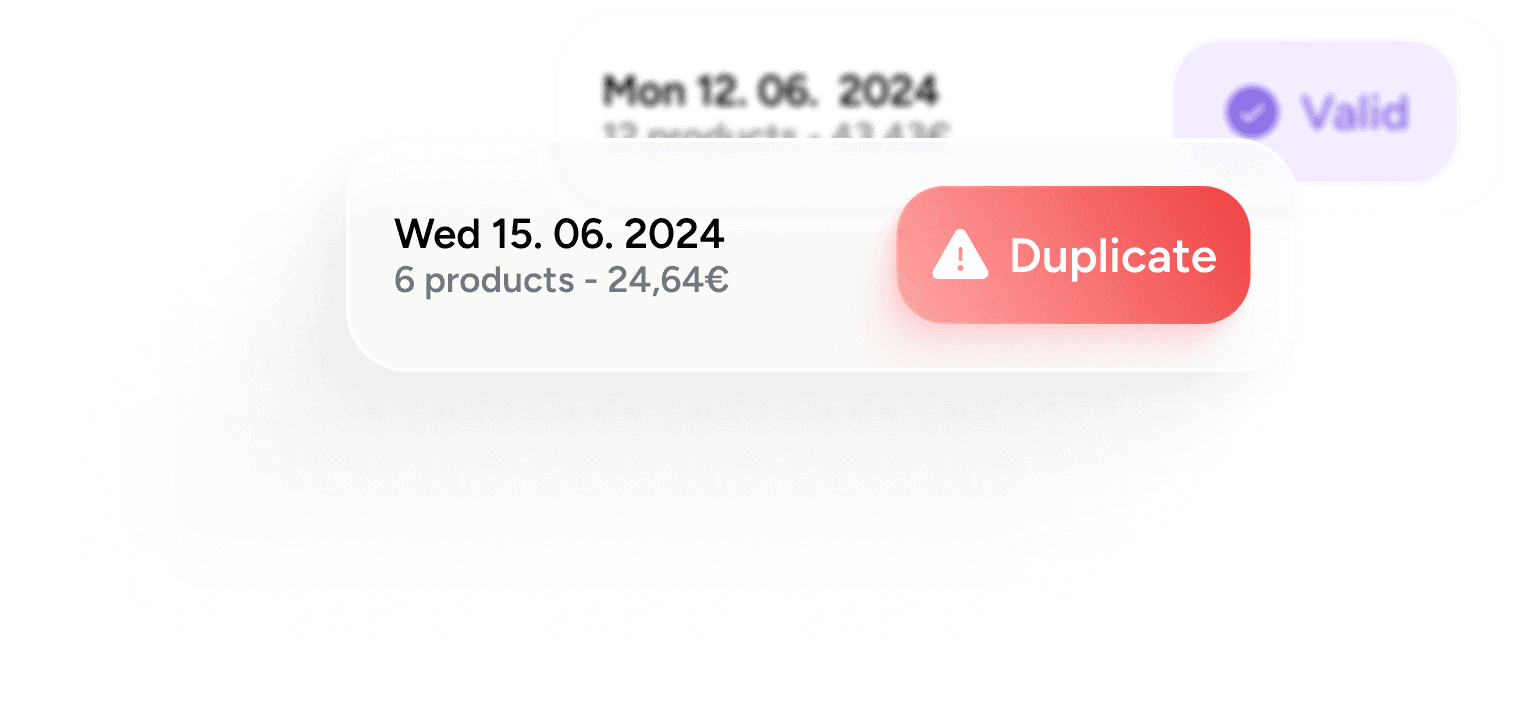
duplicated time stamps of checkout codes

Bluetooth Beacon

Rende possibile il riconoscimento del punto vendita (copertura fino a 10.000 m²).

bluetooth

Il customer journey – uscita ottimizzata

The User Journey –
Optimized Exit

Il customer journey può essere configurato in base alle tue esigenze e a quelle del personale e dei clienti. Il flusso base con il terminale di uscita shopreme vector è il seguente:
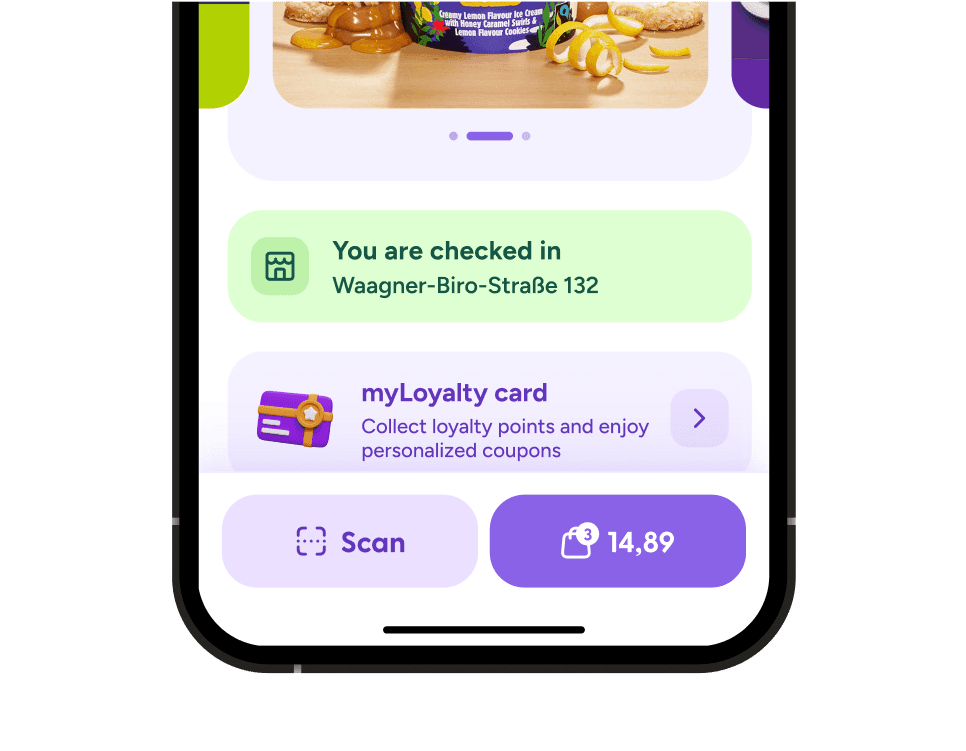
Entra nel negozio

Il cliente entra nel punto vendita. L’app shopreme Scan & Go riconosce automaticamente il negozio tramite il Bluetooth Beacon integrato in vector.

store location detection in a shopreme scan and go app

Scansiona i prodotti

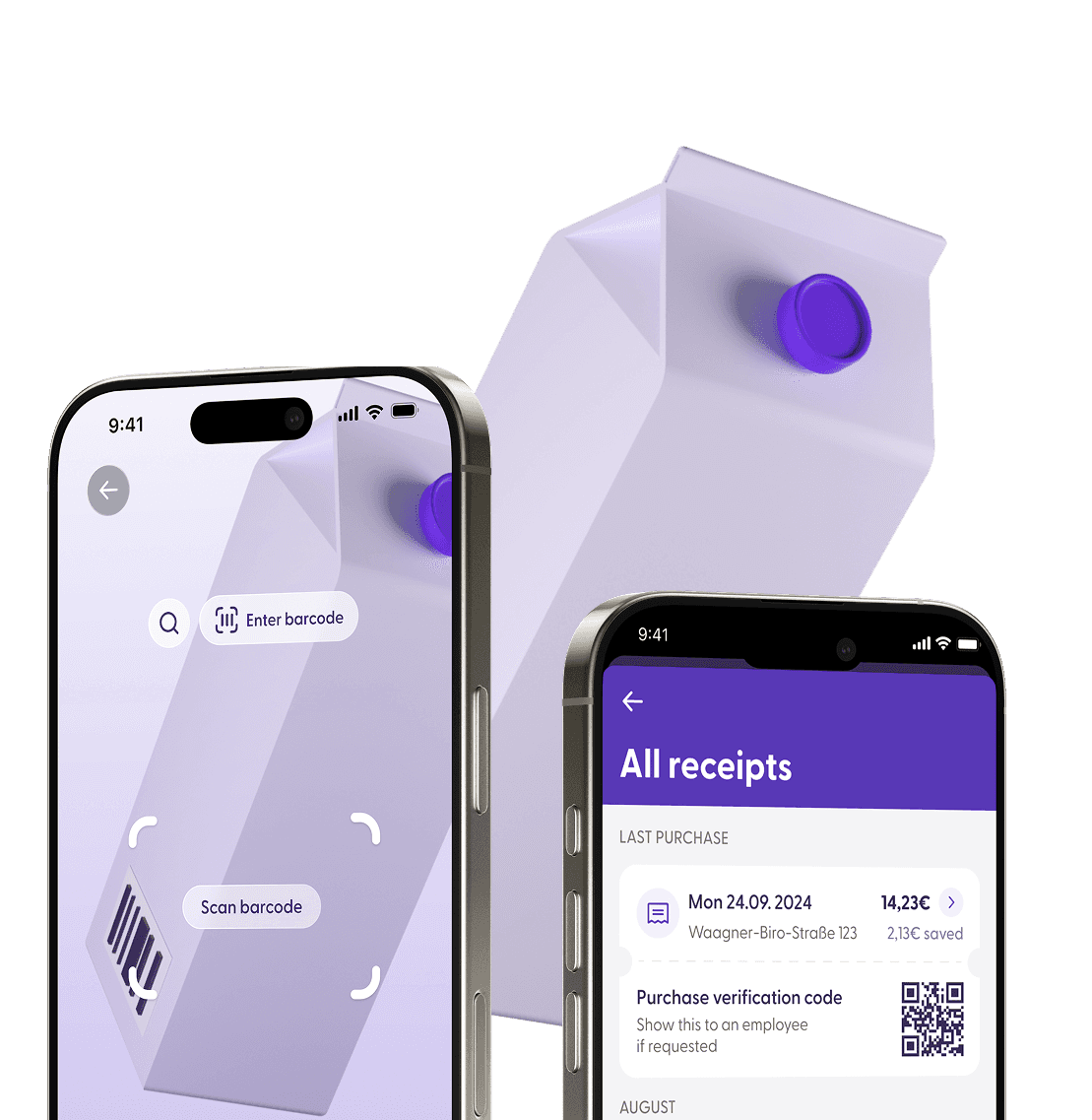
Il cliente avvia il percorso di acquisto in negozio scansionando i prodotti e aggiungendoli al carrello.

store location detection in a shopreme scan and go app

Paga nell’app

Il cliente paga nell’app e riceve un Exit Code. L’app indica al cliente di scansionare l’Exit Code su shopreme vector per completare il checkout.

store location detection in a shopreme scan and go app

Ottieni l’Exit Code

Il cliente scansiona l’Exit Code su vector, che verifica la validità del codice e controlla se è richiesta un’azione del personale, ad esempio un controllo a campione o la rimozione di una placchetta antitaccheggio. Se necessario, viene inviata una notifica push all’app per il personale, mentre sia vector sia l’app cliente mostrano un messaggio che invita il cliente ad attendere un addetto.

store location detection in a shopreme scan and go app

Conferma e scontrino

The customer scans the Exit Code at the vector, which then checks the code's validity and if an employee action, like a spot check or the removal of a security tag, is required. If necessary, a push notification is sent to the employee app while both vector and customer app display a message informing the customer to wait for an employee.

store location detection in a shopreme scan and go app - Self-Checkout solutions

Entra nel negozio

Il cliente entra nel punto vendita. L’app shopreme Scan & Go riconosce automaticamente il negozio tramite il Bluetooth Beacon integrato in vector.

store location detection in a shopreme scan and go app

“Eccellono per adattabilità, flessibilità e rapidità di sviluppo”

“At REWE, we are very glad that we chose shopreme for our Scan & Go solution.

They excel at their adaptivity, flexibility for custom solutions, and their fast development cycle"

oliver schnurr - rewe digital

Oliver Schnurr

Product Owner, REWE digital
Scarica la brochure

Scarica la brochure

Scarica la brochure

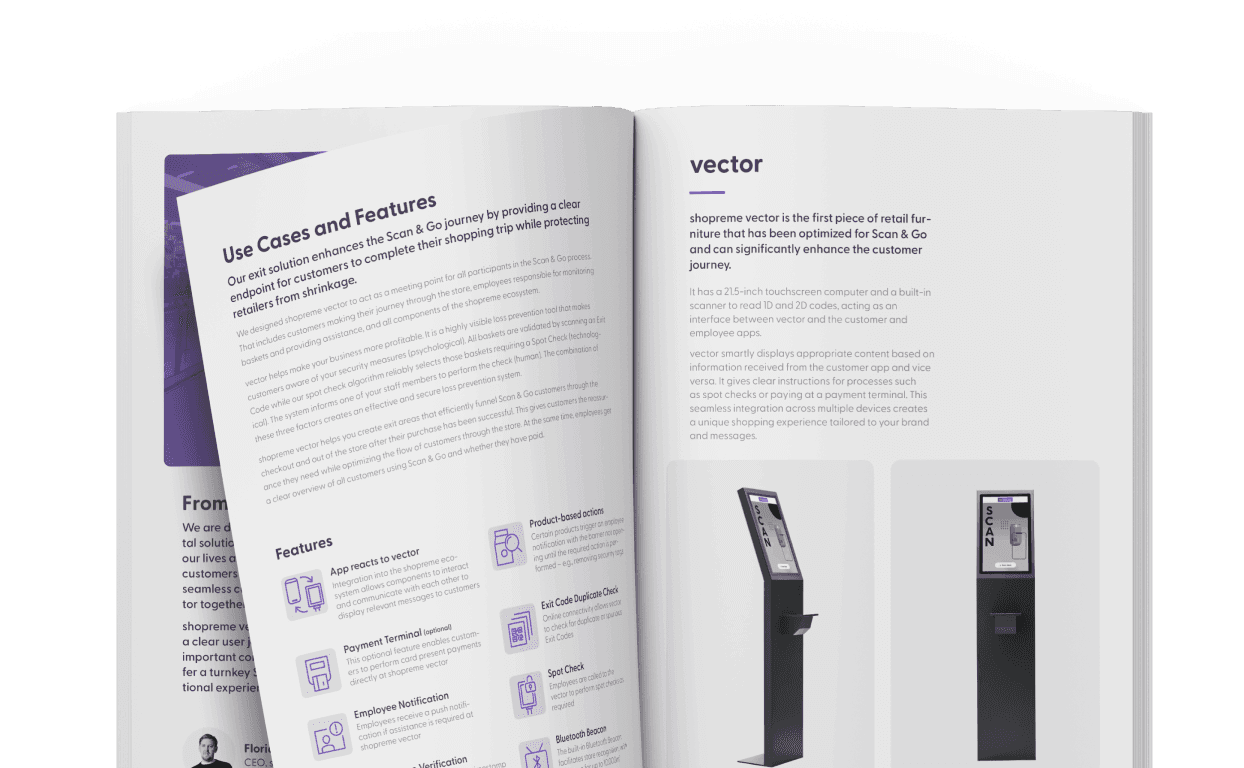
Scarica la brochure vector per informazioni dettagliate sul nostro terminale di uscita: casi d'uso, caratteristiche, componenti aggiuntivi e altro ancora.

Scarica la brochure vector per informazioni dettagliate sul nostro terminale di uscita: casi d'uso, caratteristiche, componenti aggiuntivi e altro ancora.

Scarica la brochure vector per informazioni dettagliate sul nostro terminale di uscita: casi d'uso, caratteristiche, componenti aggiuntivi e altro ancora.

shopreme vector broschure

Dai creatori

I software e le app mobili all'avanguardia sono parte integrante del nostro DNA. Unendo la nostra esperienza a quella di umdasch The Store Makers, che produce attrezzature per il commercio al dettaglio da oltre 150 anni, abbiamo creato un sistema di cassa self-service che i clienti desiderano davvero utilizzare. Finalmente un sistema di cassa self-service progettato per i consumatori e realizzato per i rivenditori.

Parliamone!

Sei pronto a passare alla versione superiore? Non vediamo l'ora di mostrarti shopreme in tutti i suoi dettagli!

kevin müller Director Retail Acceleration shopreme

Kevin Müller

Director Retail Acceleration

Parliamone!

Sei pronto a passare alla versione superiore? Non vediamo l'ora di mostrarti shopreme in tutti i suoi dettagli!

kevin müller Director Retail Acceleration shopreme

Kevin Müller

Director Retail Acceleration

Parliamone!

Sei pronto a passare alla versione superiore? Non vediamo l'ora di mostrarti shopreme in tutti i suoi dettagli!

kevin müller Director Retail Acceleration shopreme

Kevin Müller

Domande frequenti

Le risposte alle tue domande. Abbiamo dimenticato qualcosa? Non esitare a contattarci!

What are the advantages of combining a Self-Checkout exit gate with a payment terminal?

Integrating a payment terminal into the vector Self-Checkout exit solution creates a secure, convenient, and space-efficient Self-Checkout journey for modern retail environments. This integration combines the physical and psychological endpoint of the Scan & Go journey with an additional payment option, enhancing convenience for customers and protection for retailers.

Key advantages:

  • One clear endpoint for payment and exit validation

  • Stronger theft deterrence by paying and validating the purchase before passing the exit gate

  • Optimized use of store space by combining two functions in one terminal


Can I install a Self-Checkout Exit Terminal without replacing my POS system?

Yes, the shopreme vector Exit Terminal can be implemented without replacing your existing POS system. Additionally, the vector Exit Terminal can be integrated with any third-party gate provider. With a single integration to your POS, you gain access to all shopreme features:

This approach enables retailers to select the Self-Checkout solutions they need for each store setup, scaling quickly while being able to manage everything centrally. The shopreme Management Console offers detailed analytics, remote hardware management, and Retail Media content control, all in one place.

Because shopreme’s software solutions are hardware-agnostic, it can be integrated with third-party solutions, ensuring maximum flexibility for retailers.

Can Scan & Go customers pay directly at the vector Exit Terminal?

Yes. Depending on the store setup, Scan & Go customers can complete their purchase either directly in the app or at the vector by scanning a QR code to proceed with payment directly at the exit terminal. Once the transaction is complete, a digital receipt is automatically stored in the Scan & Go app.

Since every shopreme solution is fully integrated into the shopreme ecosystem, retailers can easily combine different Self-Checkout touchpoints and manage them all through the shopreme Management Console. In addition to detailed analytics, the Management Console enables remote hardware management, device monitoring, Retail Media content management, and more across all stores and devices.

The same principle applies to the matrix Self-Checkout Kiosk, allowing Scan & Go customers to complete their purchase. This option is often used in regions where printed receipts are required.

How does the vector Exit Solution help reduce theft in Self-Checkout environments?

In short: The shopreme vector exit solution reduces theft in Self-Checkout environments by serving as a physical and psychological endpoint, secure QR code validation, and optional spot checks at checkout. While providing deterrence, it is also an optional payment terminal for Scan & Go users to ensure a smooth and secure checkout process.

The most successful approaches to loss prevention combine technology, psychology, and human oversight to minimize risk without harming the shopping experience.

How shopreme vector reduces theft

  • Psychological deterrent and physical barrier

  • Receipt validation via QR code with optional exit gate integration

  • Fully integrated with shopreme’s multi-layered loss prevention software flagging suspicious baskets and behavior

  • Triggers (optional) risk-based spot checks at checkout


What is a Self-Checkout Exit System, and how does it work in a retail store?

In short: A Self-Checkout exit system like the shopreme vector is the physical and psychological endpoint of Self-Checkout journeys. It fosters customer trust and clarity, and protects retailers against shrinkage.

A self-checkout exit system is a dedicated in-store solution that secures and optimizes the exit process for customers using Self-Checkout options, such as Scan & Go, Self-Checkout Kiosks, or smart carts. It provides a physical endpoint to the shopping journey, reducing shrinkage while ensuring a smooth customer experience.

The vector, developed by shopreme and umdasch The Store Makers, is an interactive, modular, customizable exit terminal that integrates seamlessly with any third-party gate provider.

How it works:

  • Defines a clear, physical endpoint for Self-Checkout journeys: Customers know where to safely exit the store, and employees can identify Self-Checkout users.

  • Optionally integrates with exit gates: Customers validate their purchase by checking out scanning a QR on the receipt.

  • Protects against shrink: Creating both psychological and physical barriers, reducing opportunities for theft and loss.

  • Optionally supports multiple payment methods: Self-checkout customers can optionally pay and checkout at the vector.